PlotDirector features

All the tools.
One connected story.

PlotDirector brings every part of your story together - plans, characters, places, objects, timelines, secrets and continuity - so you can focus on the bit that matters most: writing something unforgettable.
Everything connected Changes ripple through your story automatically.
Stay consistent Spot continuity problems before your readers do.
Write with confidence Know what happens when, where, and why.
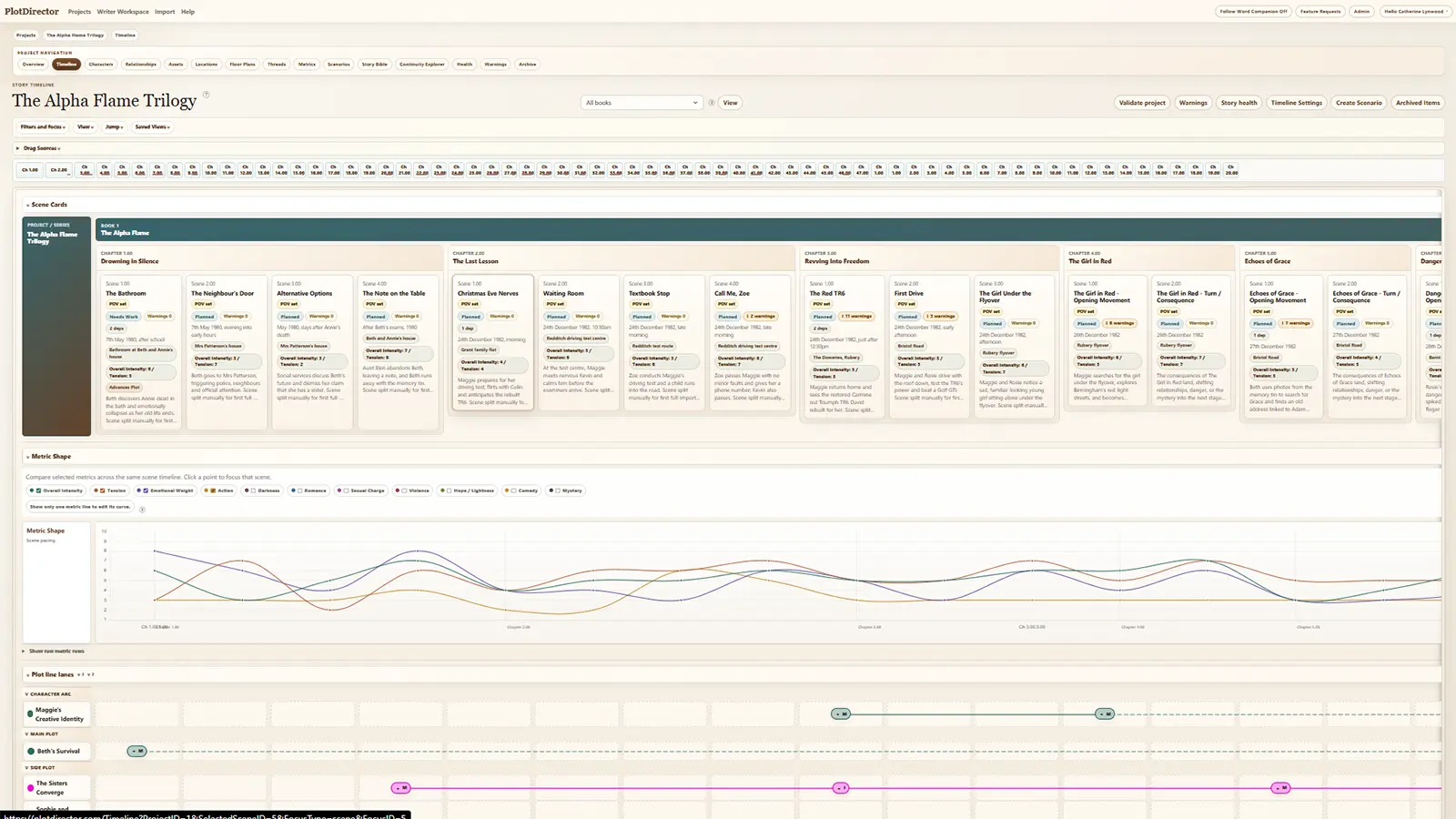
PlotDirector timeline overview with scenes, plot threads and story warnings.
Timeline overview with scenes, plot threads and story warnings.

Plan your story

Lay the perfect foundation for your novel, series or screenplay.

See the big picture and the tiny details side by side, without turning your creative process into spreadsheet archaeology.
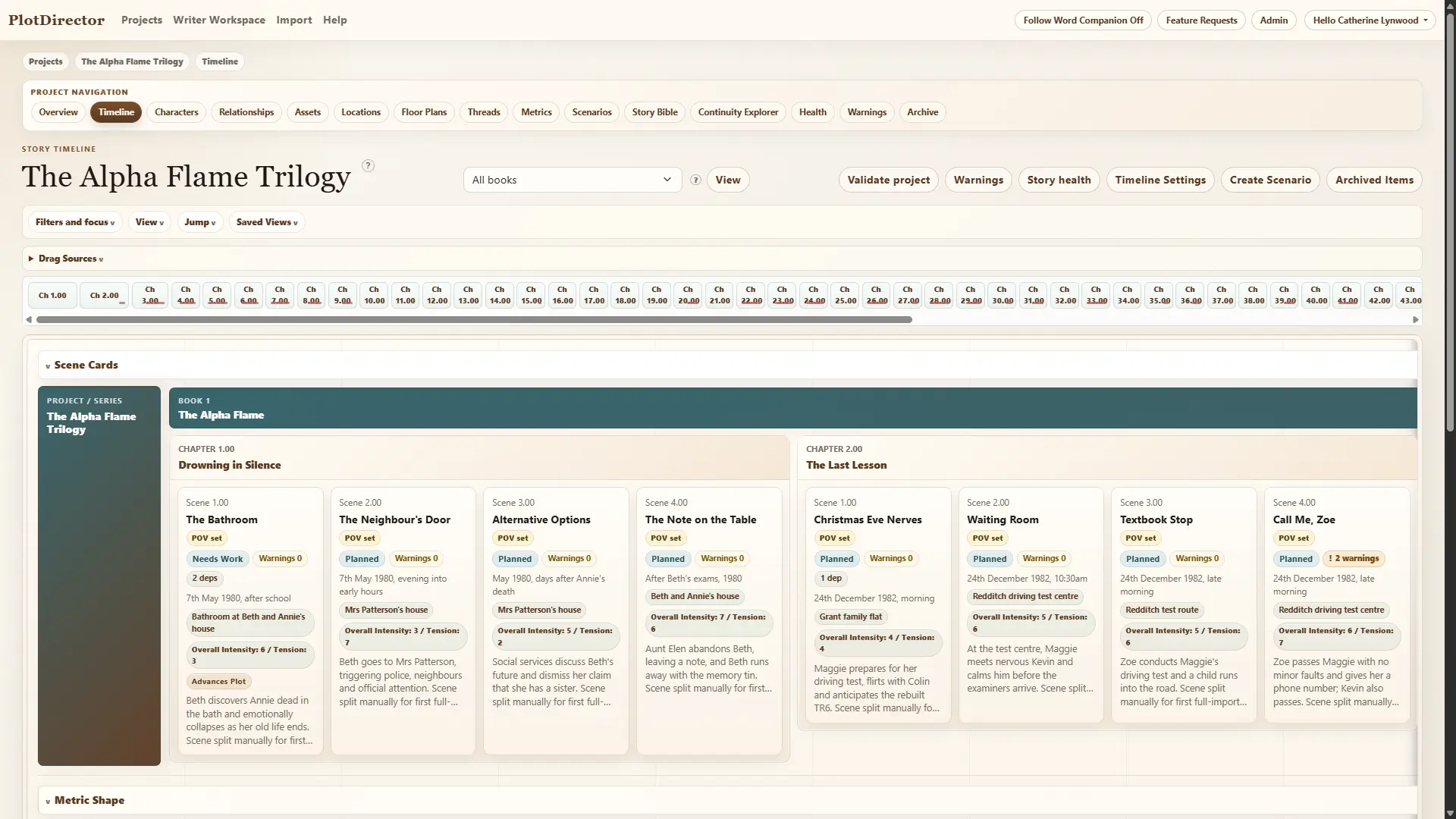
PlotDirector main story timeline with readable landscape scene cards and plot thread lanes.
Timeline with scenes and threads
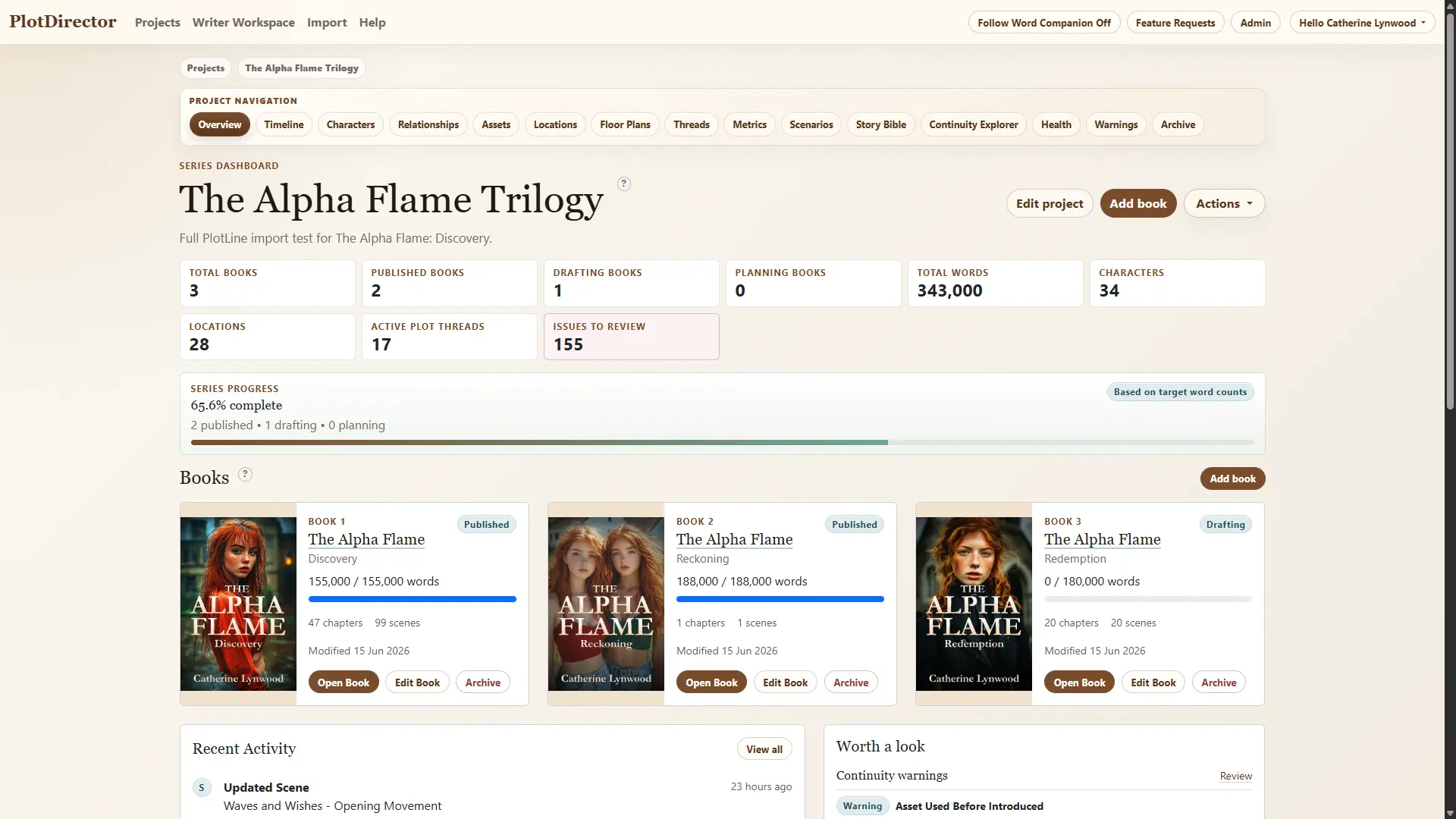
PlotDirector project dashboard showing books, progress and story status.
Project dashboard

Projects, Books & Chapters

Organise your series, books and chapters in one clean workspace. Track progress, word counts, deadlines and status at a glance.

Timeline

Your story's command centre. Drag scenes, spot gaps, track threads and see your story unfold across time.

Plot Threads

Track every promise, mystery, conflict, reveal and payoff. Make sure the thing you set up in chapter three does not quietly vanish into the swamp.

Story Structure

Build scenes, link them to chapters, and create the skeleton that supports your entire story.

Create & write

Turn ideas into words without losing the details that make the story work.

Everything you need to draft, revise, polish and keep moving.
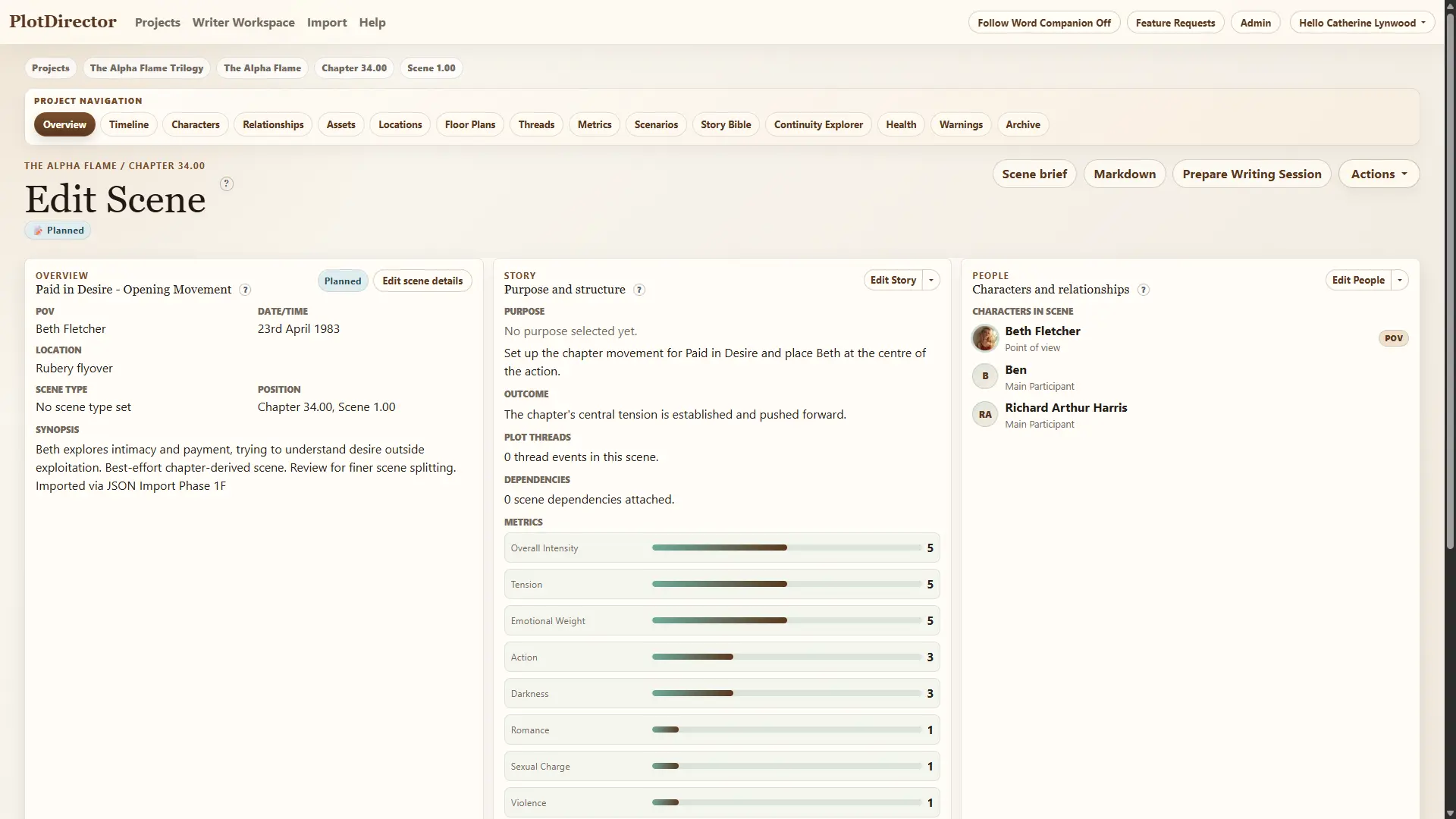
PlotDirector Scene Inspector summary view with scene details, people, world and continuity.
Scene Inspector

Scene Inspector

Every moving part of a scene, visible at once.

Everything about a scene in one place: characters, locations, assets, goals, outcomes, notes, warnings and more.

Writer Workspace

Know exactly what to write next. PlotDirector queues scenes by workflow status, priority and progress.

Writing Schedule

Turn your deadline into a plan. Set your time, your pace and let PlotDirector build your writing schedule.

Revision & Goals

Track revisions, set goals and stay motivated with progress that actually means something.

Build your world

Bring your world to life with rich detail that is easy to find, track and reuse.

Because "the pub near the thing with the man" is not a sustainable world-building strategy.
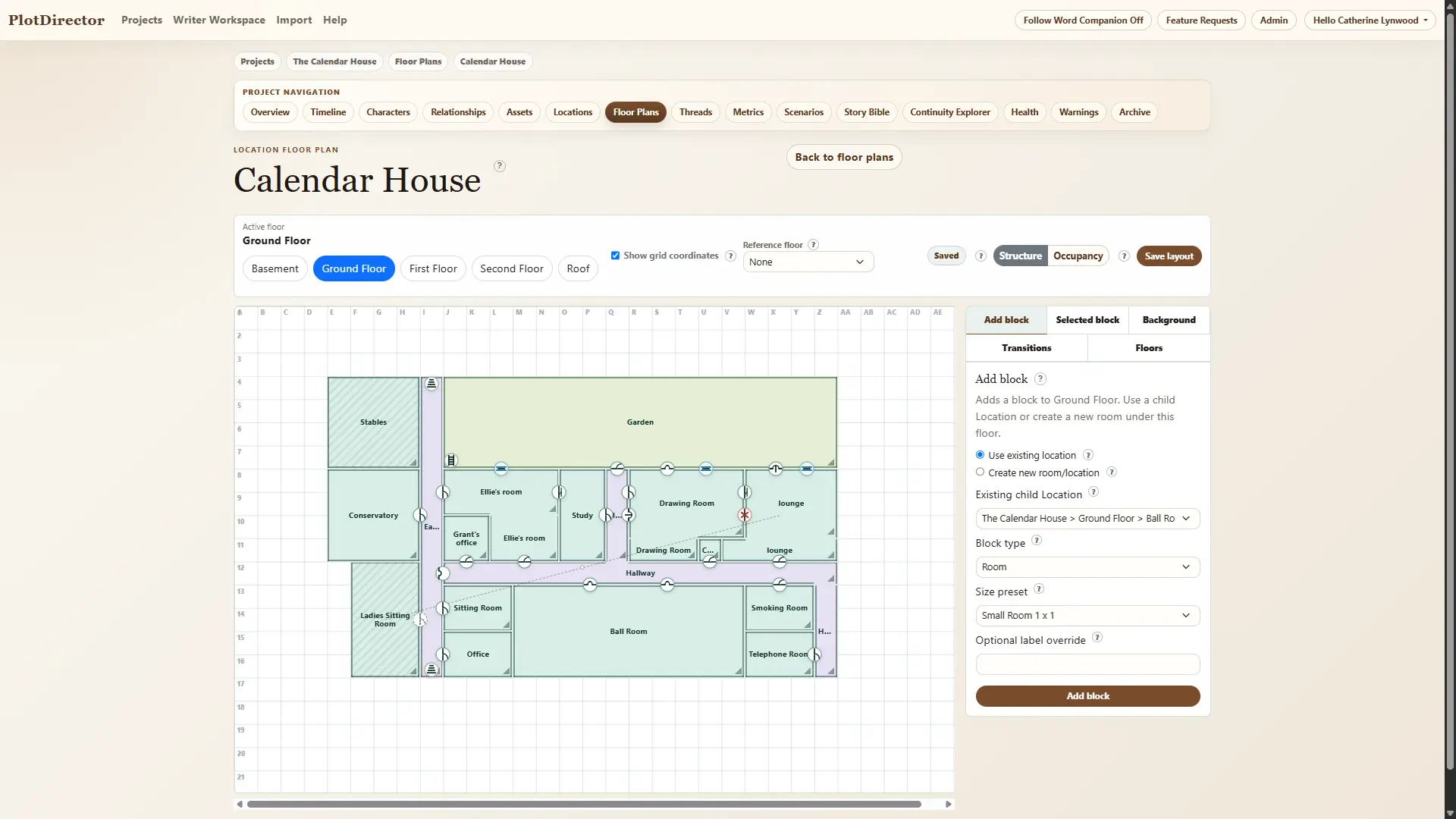
PlotDirector floor plan editor showing rooms, transitions and occupancy.
Floor plan editor
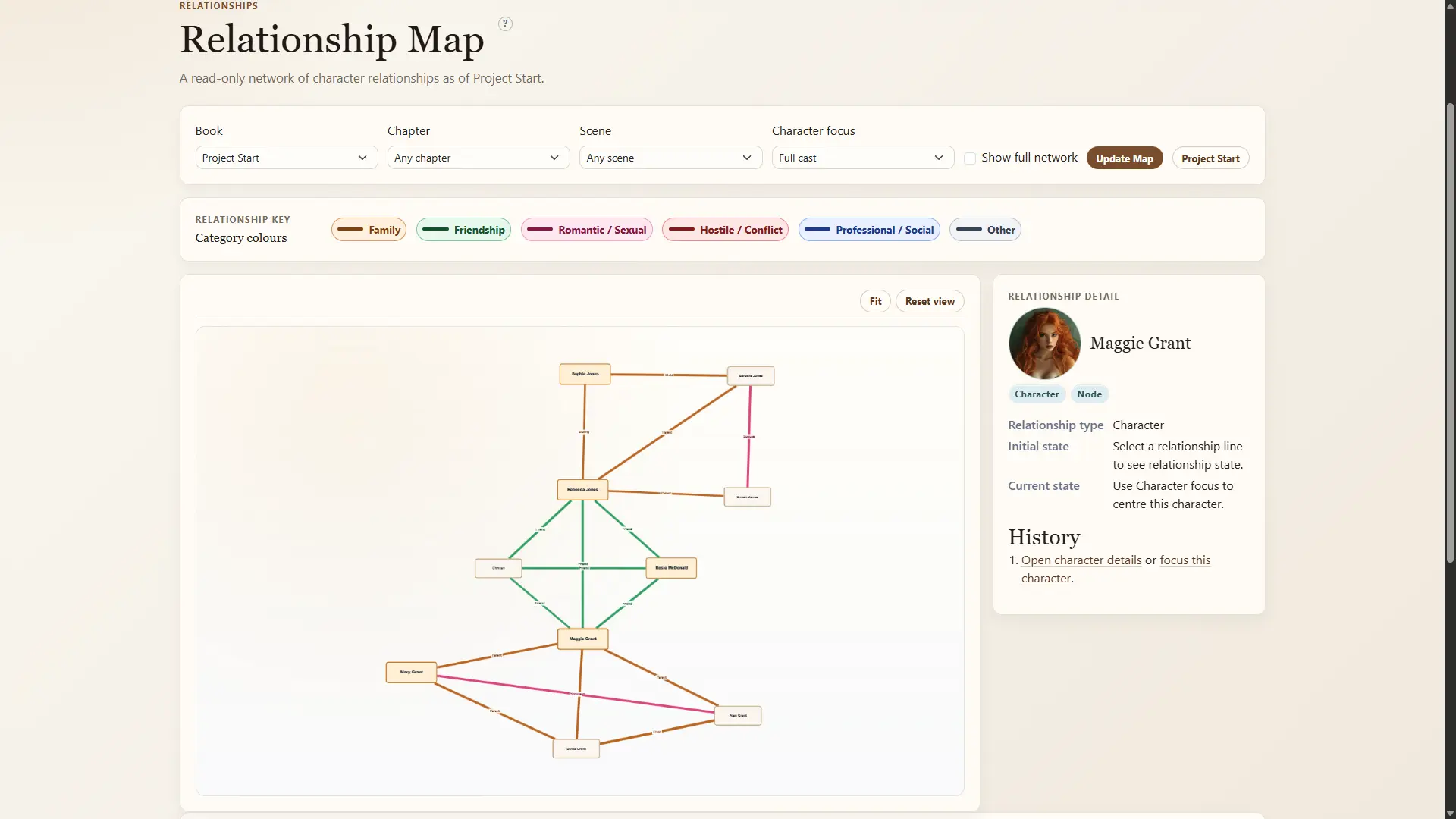
PlotDirector relationship map showing character connections and changing dynamics.
Relationship map

Characters

Create character profiles with aliases, attributes, images, appearances and arcs across your story.

Relationships

Map connections, track dynamics and watch relationships evolve over time.

Locations

Organise places, link them together and see where your story comes alive.

Floor Plans

Design buildings and spaces. See who is where with interactive occupancy views.

Story Assets

Track objects, clues, letters, weapons, heirlooms and anything else important to your story.

Stay consistent

This is where PlotDirector earns its keep.

Track who knows what, who has what, who was where, and what changed from one scene to the next.
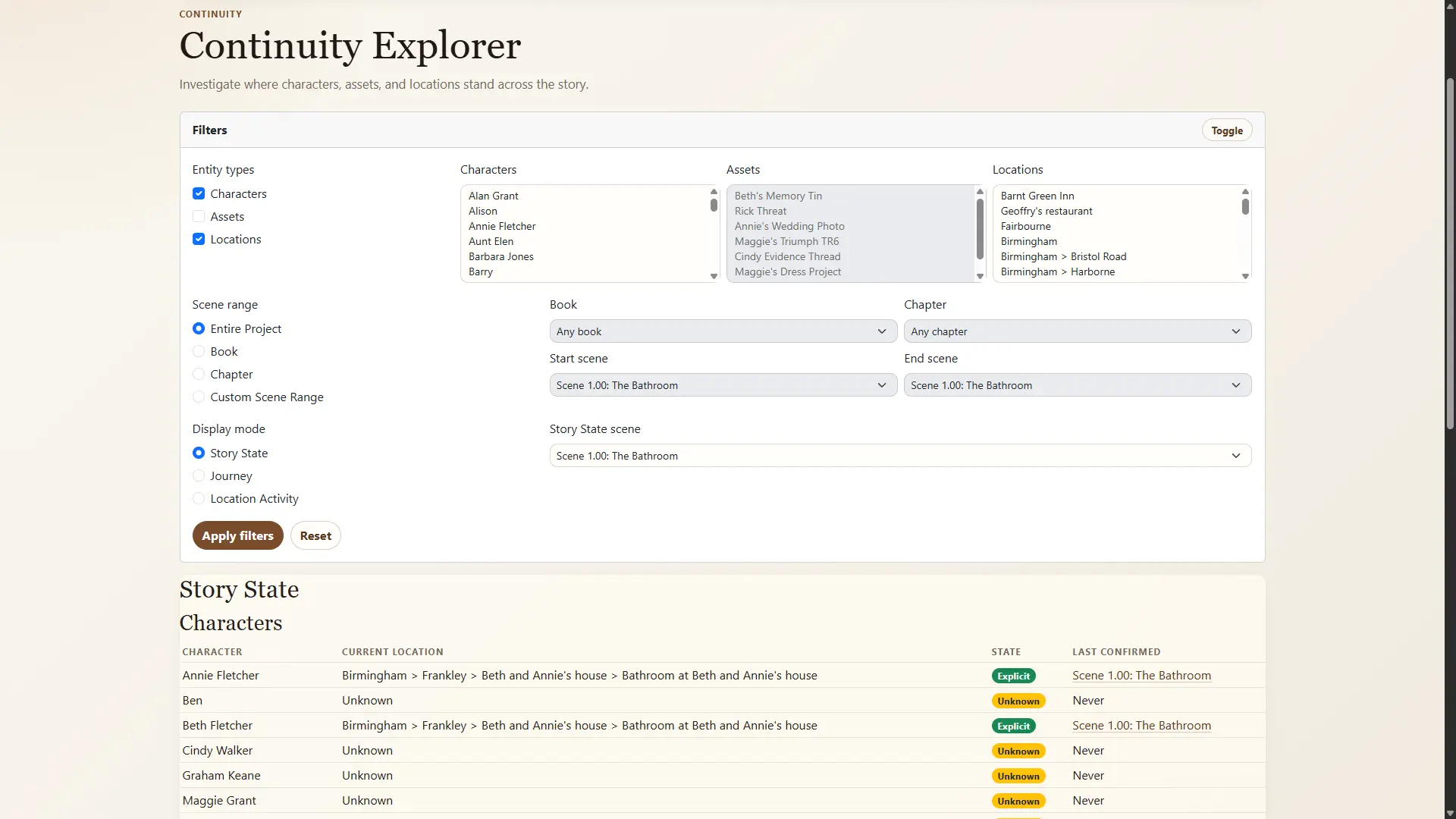
PlotDirector Continuity Explorer showing readable story state across a landscape timeline.
Continuity Explorer

Story State

Track who knows what, who owns what, and what changed when.

Asset Custody

Always know who has what, where it is, and when it changed hands.

Location Activity

See which characters were where, when, and for how long.

Warnings & Checks

Spot problems early with smart warnings and helpful suggestions.

Story Health

Measure pacing, balance, thread health and more. Keep your story strong.

Experiment safely

Try new ideas without breaking your main story.

Test different orders and explore possibilities while your real manuscript stays steady.
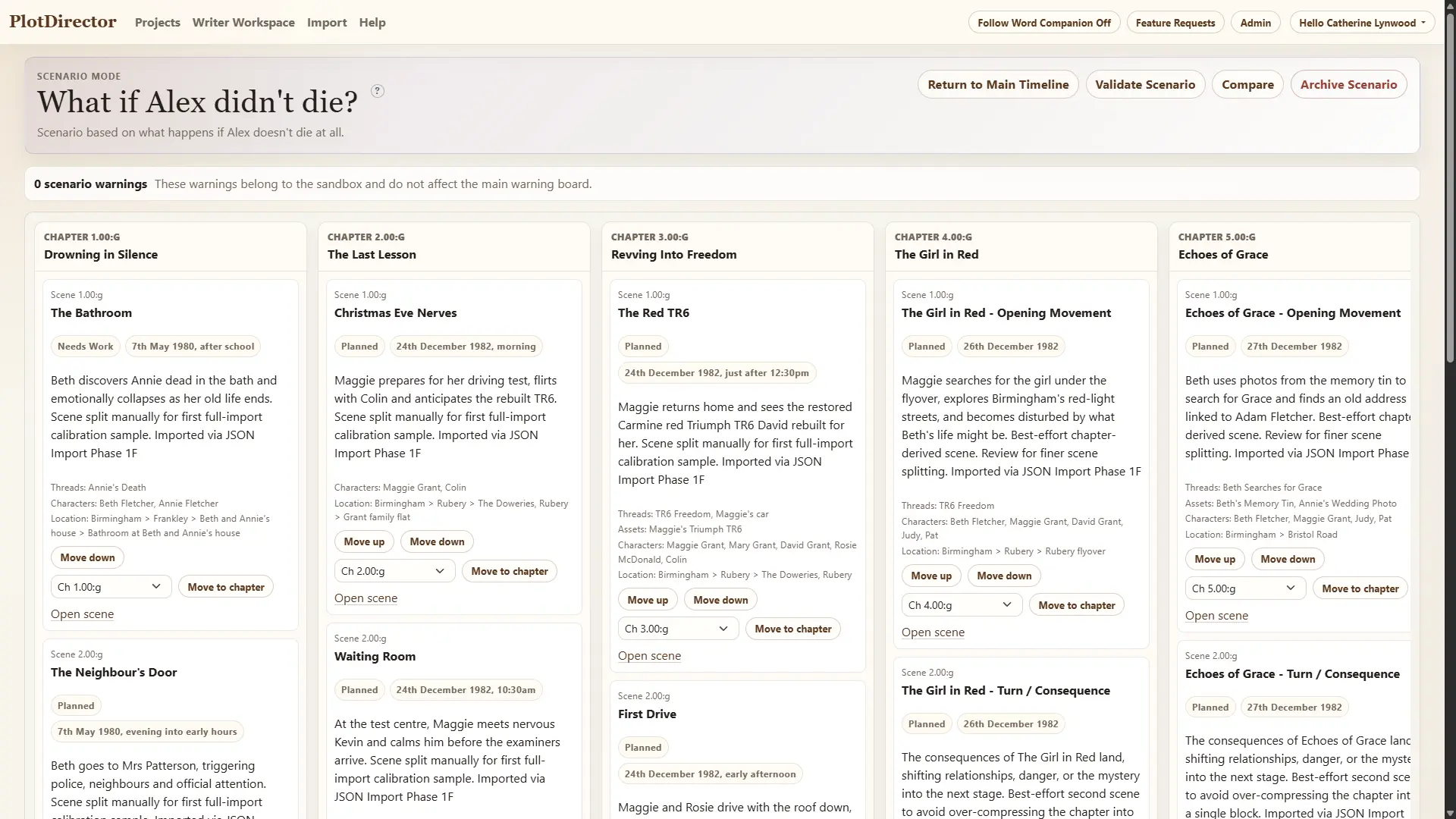
PlotDirector scenario timeline for alternate story orders and what-if structures.
Scenario timeline

Scenarios

Create alternate story orders and what-if structures. Perfect for trying bold changes.

Compare & Validate

See how your scenario compares to the main story and validate the impact.

Apply with Confidence

When you are happy, apply changes back to your main story in one click.

Publish, share & protect

Your story knowledge should never be trapped.

Export it, share it, back it up and keep control of everything you have built.

Story Bible

Create a one-click story bible with characters, settings, timelines, threads and more.

Exports

Export timelines, character guides, scene briefs and more in useful formats.

Backups

Create backups and restore points so your work stays safe.

Collaboration

Invite trusted collaborators, editors or co-writers into your project.

Permissions

Granular permissions help ensure the right people see the right things.

Microsoft Word Companion

Write in Word. Stay connected to your story.

The Microsoft Word Companion links your manuscript to PlotDirector, so your planning and your writing can work together instead of living in separate worlds.

  • Sync chapters and scenes
  • Update word counts automatically
  • Detect characters, assets and locations
  • Get suggestions and continuity warnings as you write
  • Keep PlotDirector focused on the scene you are working on
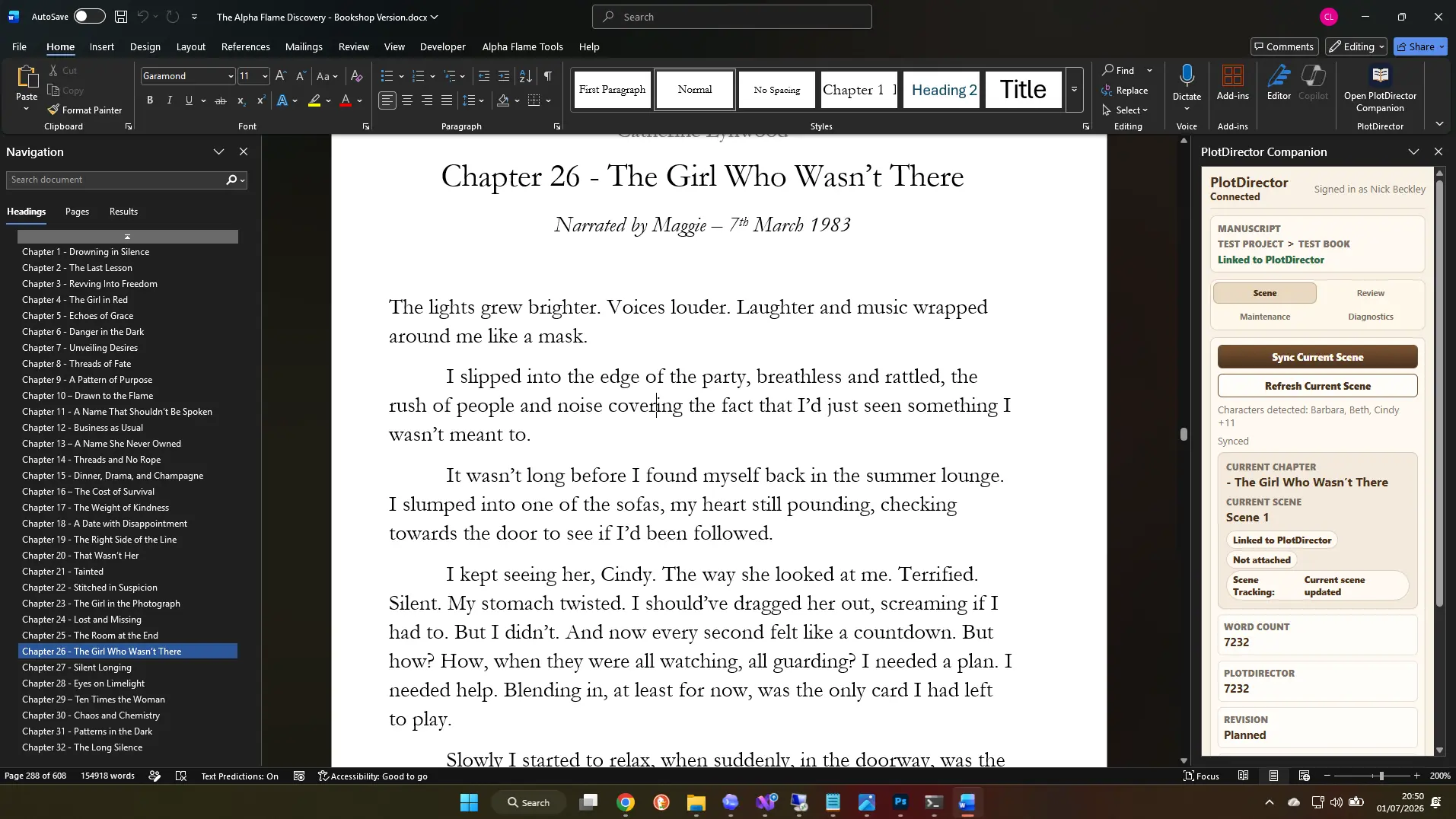
Microsoft Word document with the PlotDirector Companion pane connected to story planning data.
Word document with PlotDirector Companion pane

Questions writers ask

PlotDirector FAQ

What is PlotDirector?

PlotDirector is story planning and writing software for authors. It helps writers organise books, chapters, scenes, characters, locations, timelines, plot threads, continuity, writing schedules and story bibles in one connected workspace.

Can PlotDirector help with story continuity?

Yes. PlotDirector includes continuity tools for tracking characters, locations, story assets, knowledge, custody, warnings and story state across scenes.

Does PlotDirector work with Microsoft Word?

PlotDirector includes a Microsoft Word Companion designed to connect your manuscript with your planning data, helping sync chapters, scenes, word counts and story details.

Can I use PlotDirector for a series?

Yes. PlotDirector supports projects, books, chapters and scenes, making it suitable for novels, series, screenplays and larger story worlds.

Does PlotDirector include character and relationship tracking?

Yes. PlotDirector includes character profiles, aliases, appearances, relationship tracking, relationship maps and changes over time.

Can PlotDirector create a story bible?

Yes. PlotDirector can produce story bible exports containing key information about characters, settings, plot threads, timelines and other story details.

Ready to bring your story to life?

Ready to bring your story to life?

Join thousands of writers who plan, write and finish with PlotDirector.

Free trial available. No card required. Cancel anytime.