Writing problems
A storyline disappears for too long
A supporting storyline returns and you have to remind yourself what was happening in it. Its last contribution may be much further back than it felt while drafting.
How PlotDirector can help
Start here
Plot Lines Workspace
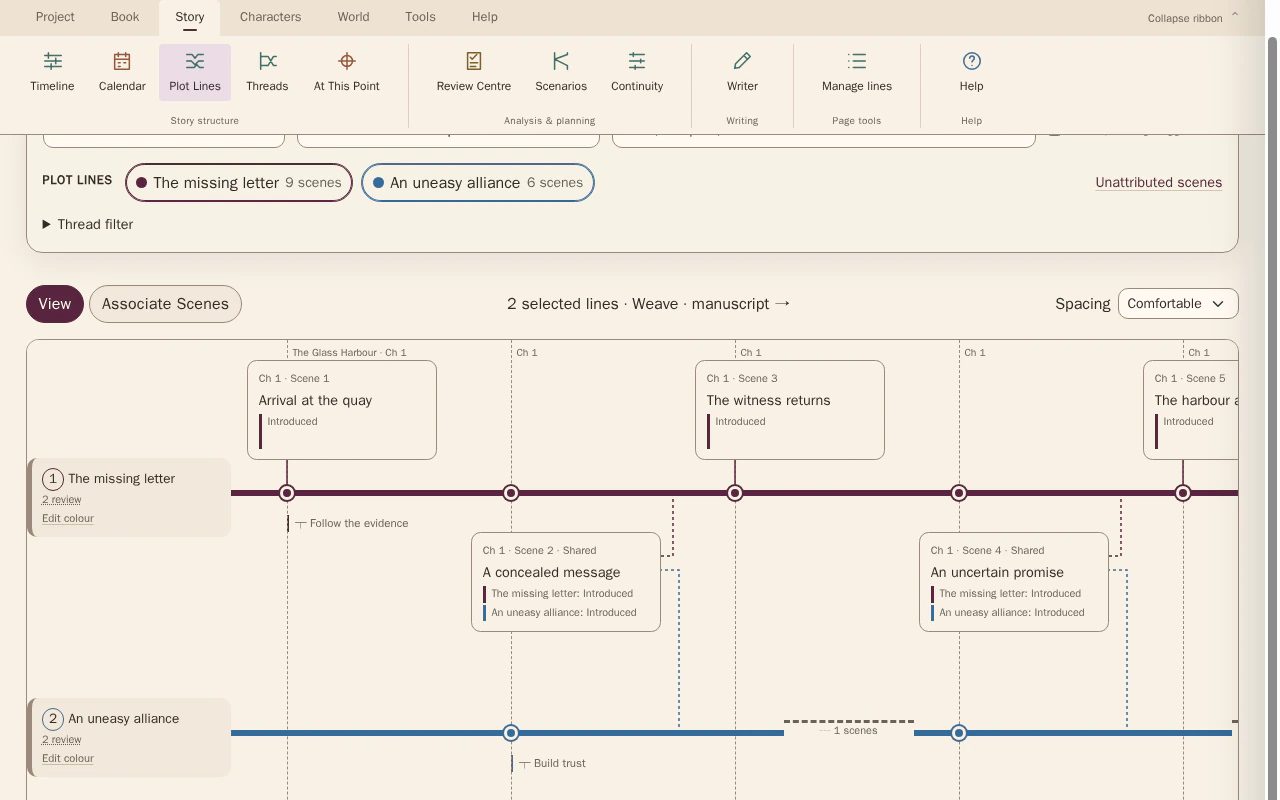
The gap markers make the distance between a line’s recorded contributions easier to judge.
Follow selected storylines through their recorded scene contributions. Focus isolates one line; Weave shows shared scenes and the gaps between contributions.
Look for The last meaningful contribution before the gap, its return, and what the reader must still remember.
See how Plot Lines Workspace worksExplore the tool without signing in.
Why this happens
A thread can lose its place when another sequence expands or scenes move. A deliberate absence can build anticipation; an accidental gap may leave the return without a live question.
Compare the thread's last contribution with its return. If the intervening book changes the stakes, the returning scene may need to acknowledge that change rather than resume the old situation unchanged.
What to look for
- Find the last meaningful contribution before the gap
- Note what keeps the question alive during the absence
- Check what the returning scene expects the reader to remember