Writing problems
There are too many scenes to see the structure clearly
You can work on individual scenes but cannot readily see the arrangement of the whole manuscript. Finding the passage you need may take longer than deciding what to change.
How PlotDirector can help
Start here
Timeline · scenes and chapters
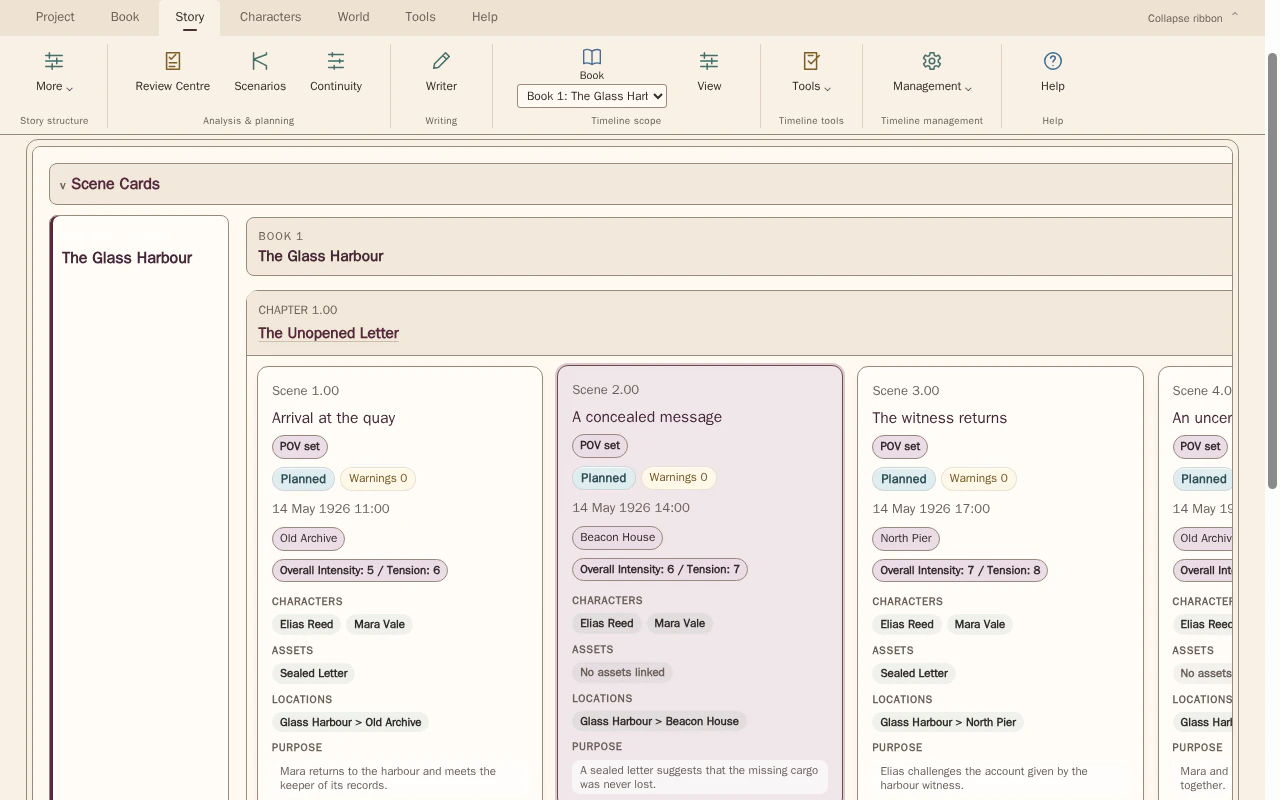
Chapter groups and scene summaries give you a manageable overview before you open the prose.
See scenes grouped under chapters in manuscript order, with their summaries, purposes and linked story elements available for inspection.
Look for Crowded stretches, chapter boundaries and scenes whose place is hard to remember.
See how Timeline · scenes and chapters worksExplore the tool without signing in.
Why this happens
A growing manuscript outstrips the detail view you use to draft it. This is an overview problem before it is evidence that scenes are unnecessary or badly ordered.
A one-line summary can help compare many scenes, but an overlong summary recreates the original overload. Keep the overview focused on the decision you are trying to make.
What to look for
- Group scenes by chapter or sequence
- Compare short summaries at a consistent level of detail
- Mark sections whose purpose is obscured by the volume of material