Writing problems
Several scenes may be doing the same job
The reader receives another version of information, conflict or reassurance they already have. Each scene may have a purpose individually, yet the sequence seems to stand still.
How PlotDirector can help
Start here
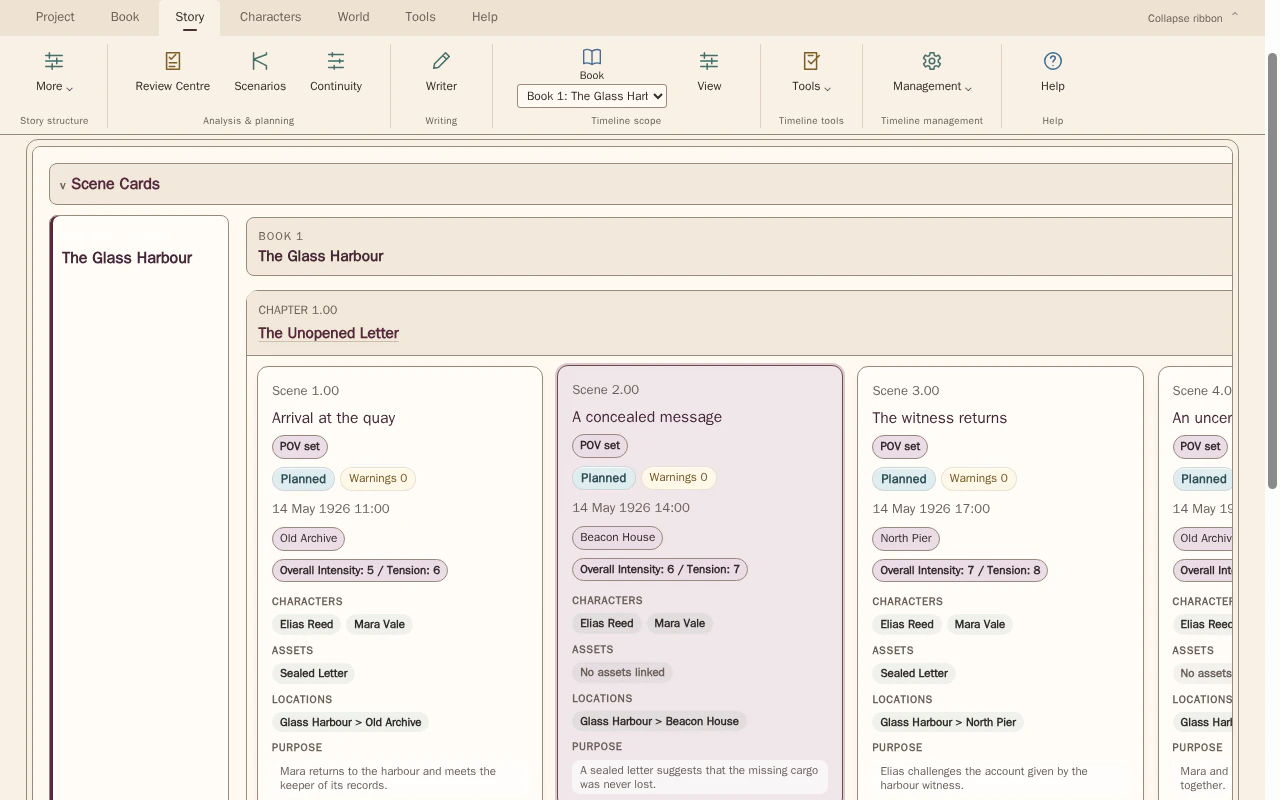
Timeline · scenes and chapters
Compare their summaries, purposes and linked developments before deciding whether both are needed.
See scenes grouped under chapters in manuscript order, with their summaries, purposes and linked story elements available for inspection.
Look for The unique work of each scene and information or changes that the other already provides.
See how Timeline · scenes and chapters worksExplore the tool without signing in.
Why this happens
Scenes often accumulate while you search for the best way to express a turn. Repetition can create emphasis or variation, but can also preserve several draft solutions to the same need.
Two scenes can discuss the same problem while doing different work if a decision changes between them. Conversely, different settings can conceal several scenes that merely restate the same position.
What to look for
- Compare the state before and after each similar scene
- Identify what is genuinely new in the repetition
- Test which consequences survive if one instance is removed