Writing problems
Your timeline doesn't add up
Two scenes each seem clear until you put their dates together. An event may precede its cause, or different references may place the same occasion on incompatible days.
How PlotDirector can help
Start here
Timeline
Dates and scene references make the conflict concrete enough to compare.
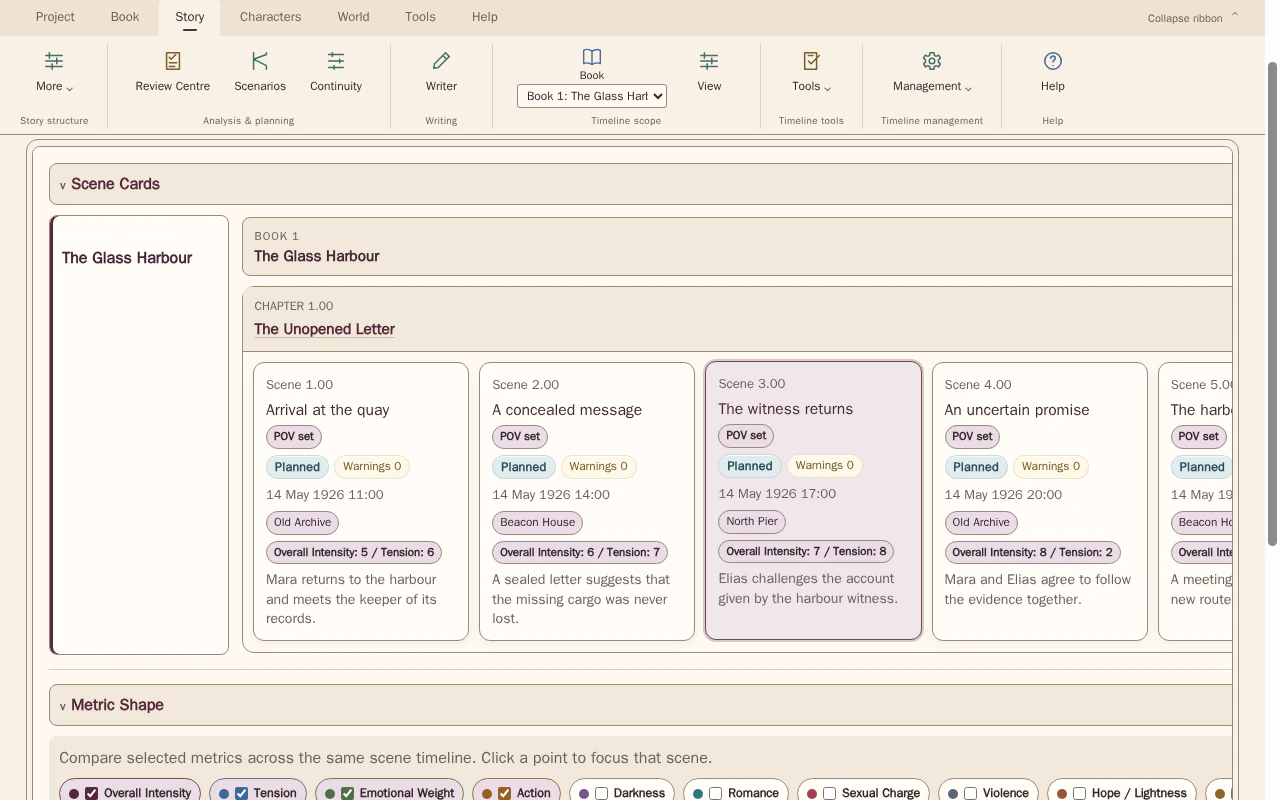
Compare scene order with the dates, times and locations recorded for each scene. Select scenes to inspect the details behind the sequence.
Look for The two incompatible points, any fixed anchor and the neighbouring scenes affected by a correction.
See how Timeline worksExplore the tool without signing in.
Why this happens
Local time references can survive after the wider schedule changes. Nonlinear narration is not itself a contradiction: compare when events happen before judging the order in which they are told.
If a scene says an event happened yesterday, check which date that statement is anchored to. Moving the scene can change the claim even when no explicit date appears in its prose.
What to look for
- Place the disputed events on one chronological sequence
- Compare explicit dates with relative time references
- Check which statement is intended to be reliable