Writing problems
There are too many character relationships to hold in your head
You can explain a pair of characters, but keeping the whole social network in mind is becoming exhausting. A change in one connection may make several other scenes harder to write.
How PlotDirector can help
Start here
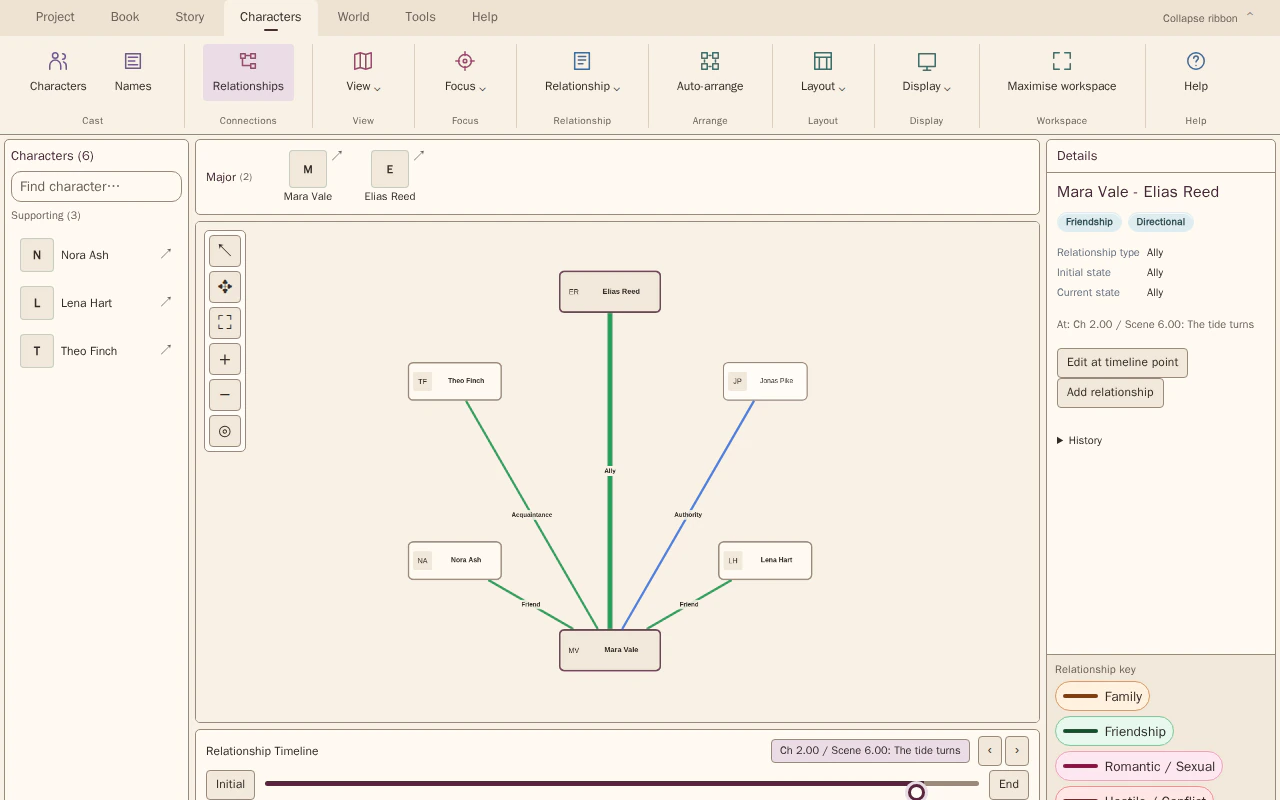
Relationship Map
A map externalises the connections so you do not have to hold the whole network in memory.
See recorded connections at a selected story position. Compare positions to review how states, intensity and each side’s perspective change.
Look for Family links, alliances and connections you repeatedly have to reconstruct.
See how Relationship Map worksExplore the tool without signing in.
Why this happens
Connections multiply faster than the cast itself. Family ties, alliances, intimacy and authority can overlap without being contradictory, provided you can locate the relevant relationship and story position.
A pair might be relatives, colleagues and rivals at once. Recording those connections separately can explain apparently inconsistent behaviour without forcing the relationship into a single label.
What to look for
- List the kinds of connection between each important pair
- Check which connections change and which stay stable
- Compare the network before and after major turning points