Writing problems
You've lost track of an important object
The object reappears and you cannot immediately say where it was left or who last had it. You may remember its purpose better than its route through the manuscript.
How PlotDirector can help
Start here
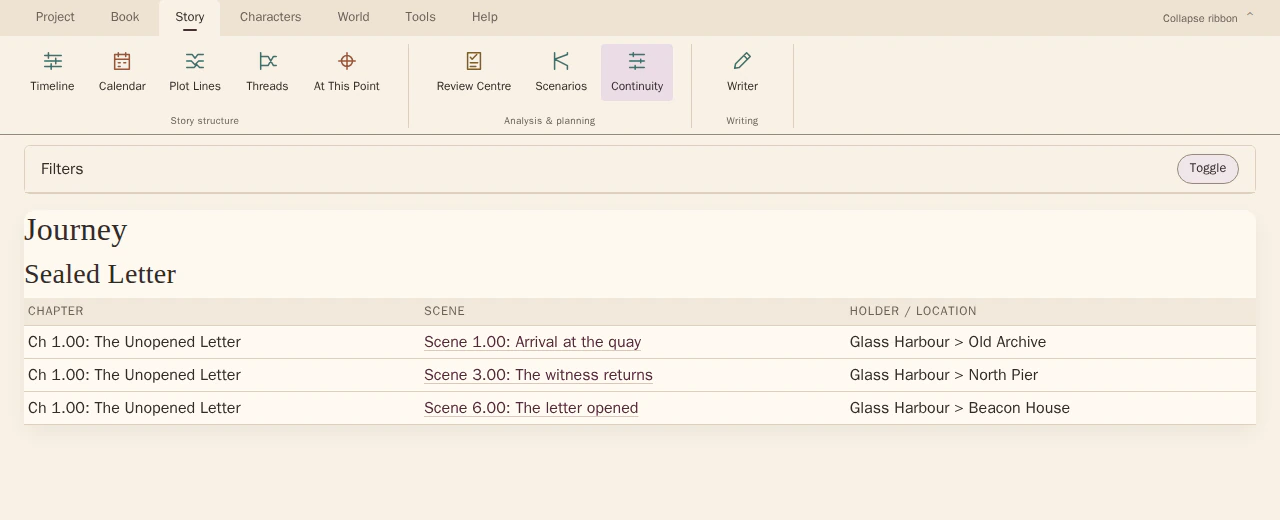
Continuity Explorer · object journey
Journey mode keeps asset states attached to the scenes where they are recorded.
Follow recorded asset states across a scene range. Restrict the view to assets, then inspect the object and scene entries that need to agree.
Look for The last clear holder or position, the next appearance and any handover you need to check.
See how Continuity Explorer · object journey worksExplore the tool without signing in.
Why this happens
Possession, location and state are different records. An object can stay in the same place while changing hands, or remain with one person while travelling across several scenes.
An object mentioned in a conversation is not necessarily present in the room. Keep references to the item distinct from evidence about where it physically is.
What to look for
- Find the last confirmed holder or location
- Trace intervening handovers and moves
- Mark gaps where its position is inferred rather than recorded