Writing problems
An object's history contradicts itself
An item is intact after being destroyed, unopened after its contents were read, or described in incompatible states. The issue may only become apparent when distant scenes are compared.
How PlotDirector can help
Start here
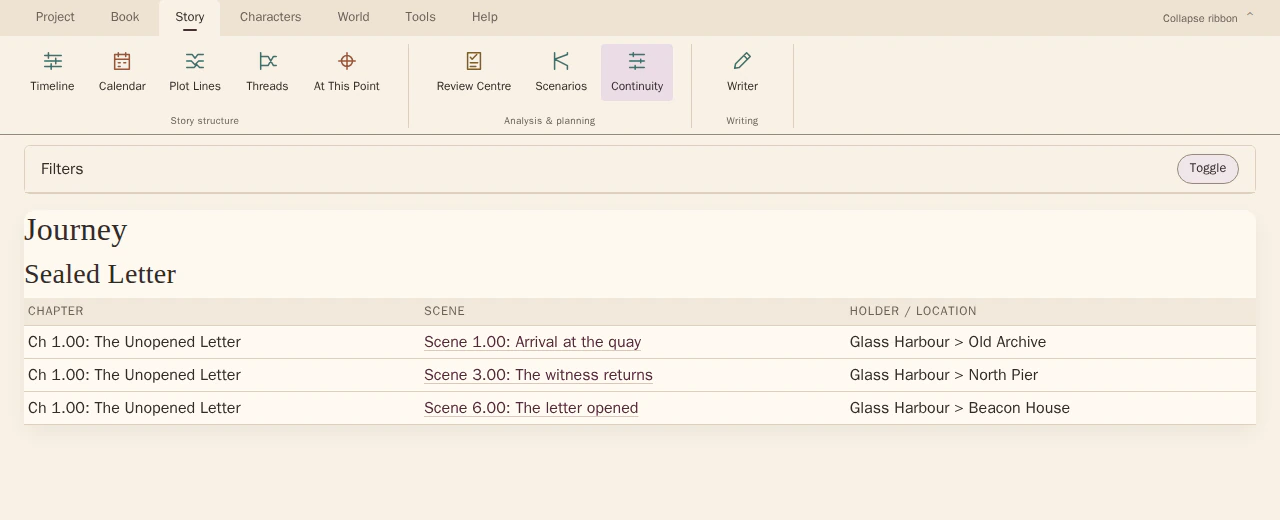
Continuity Explorer · object journey
Journey mode gives the conflicting states scene references you can inspect.
Follow recorded asset states across a scene range. Restrict the view to assets, then inspect the object and scene entries that need to agree.
Look for Loss, damage or destruction, the later state and any intended explanation connecting the two.
See how Continuity Explorer · object journey worksExplore the tool without signing in.
Why this happens
An object has a history as well as a location. Changes to the sequence can separate a state-changing event from the later scenes that rely on it.
A report that an object was destroyed can be mistaken. Compare the reliability of that report with later physical evidence before deciding that the item itself has changed inconsistently.
What to look for
- Arrange explicit state changes in story time
- Check later uses against the latest supported state
- Separate uncertain reports from physical changes